

Cloudflare offers many free Services that give your business an edge on the Internet, while also integrating options to protect your website from cyber attacks. Let's join Future Horizon to learn about services and methods to speed up websites thanks to Cloudflare.
Part 1: INTRODUCTION, ADVANTAGES AND DISADVANTAGES WHEN USING CLOUDFLARE

1. WHAT IS CLOUDFLARE?
Cloudflare was originally Intermediate DNS service Free with CDN (Cloud Delivery Network) support. I used this Cloudflare a few years ago, but the connection to it was quite intermittent even though the main server containing my website still worked normally. At that time it was a bit corny. This leads to loss of traffic as well as website rankings. Therefore I have not used it until today. Later, I saw it growing stronger and the service got better, so I decided to use it again. And it's true that the quality is much better. I'm using DNS, CDN and free SSL services from this guy.
MỤC LỤC BÀI VIẾT
Intermediate DNS means that this Cloudflare guy will be in the middle of the connection between the domain and hosting. Normally, the domain will be configured with Nameservers (NS) or record A pointing to the IP of the host containing the website. However, when using Cloudflare, the domain will point to Cloudflare's DNS. Therefore, all access to the website will go through Cloudflare first, then from Cloudflare to the host containing the website.
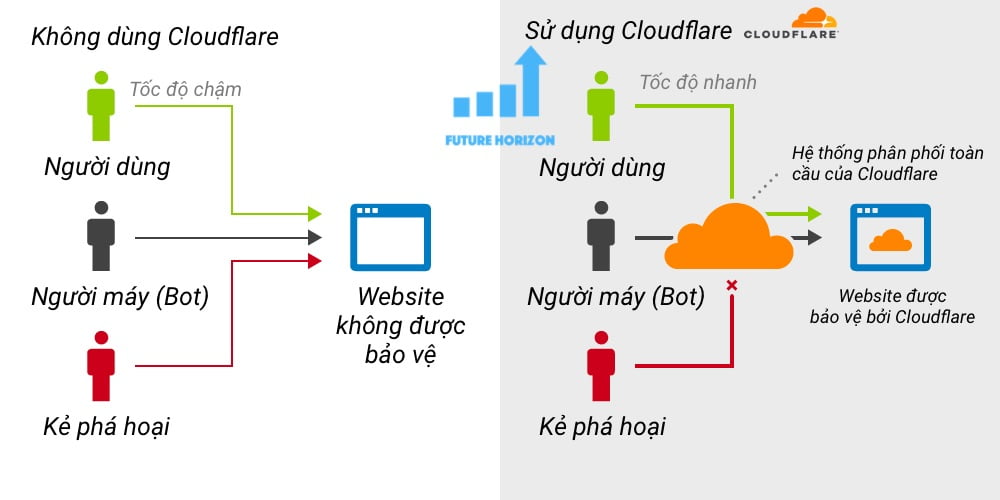
Currently, in addition to intermediate DNS services, Cloudflare also provides many other services such as SSL, anti-DDOS, anti-Spam, Firewall, HTTP/2, SPDY, IP Geo,… And many other services, both free and paid.
2. ADVANTAGES OF CLOUDFLARE
Cloudflare has advantages and is trusted by many users around the world. However, the most outstanding advantage to mention is the intermediate DNS service. Due to its role as DNS, Cloudflare has a network of more than 120 data centers in more than 100 cities, spanning 49 countries across 5 continents. In addition, Cloudflare also has CDN technology, which supports caching and distributing copies of websites to CDN servers closest to users. From there, optimize website access and save bandwidth for the server.
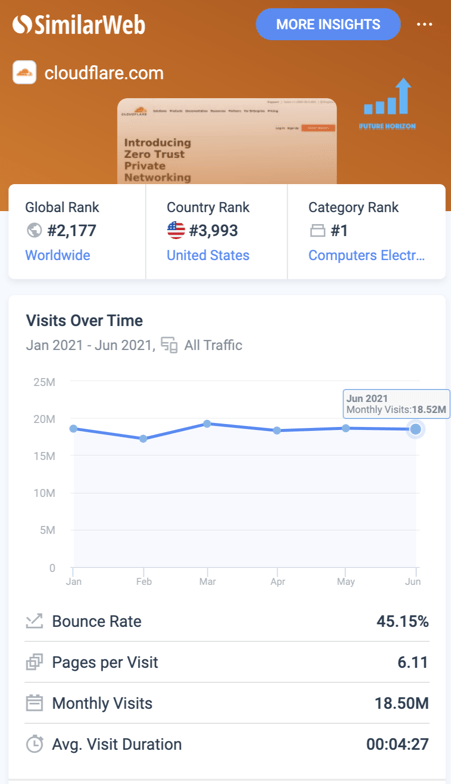
Cloudflare is ranked #2,177 at the time of writing (July 2021) with more than 18 and a half million visits per month. This is a huge number!
Another highlight is that Cloudflare recently provided a free SSL certificate. This makes the website more secure and trustworthy in the eyes of users. Limit DDOS attacks, spam, bad traffic, etc. Due to its role as an intermediary, Cloudflare has built-in technologies to prevent attacks, anonymization, spam traffic, etc.
3. DISADVANTAGES OF CLOUDFLARE
Although there are many advantages, Cloudflare is not without disadvantages. The first disadvantage to mention is that you will depend on Cloudflare's DNS server. If at any time a problem arises due to Cloudflare or its partners, access to your website will be interrupted, even though your server will still operate normally.
If your server is in Vietnam, you should not use Cloudflare. Currently, Cloudflare has a datacenter in Vietnam, so if your server is in Vietnam and uses Cloudflare, when accessing the website, the query will be from Vietnam to Cloudflare's DNS abroad (Japan, Hong Kong, or Singapore, China) and from there return the results back to Vietnam. Such a detour will be significantly slower.
If you use Shared Hosting, sometimes you will encounter the problem that Cloudflare's IP range will be blocked by the hosting's Firewall. Because Cloudflare misunderstood there was a large number of requests from that IP range to the host. However, in the past, there were many shared hosting companies, but now I'm not sure if there are any more. Because the technology is better and they have also filtered Cloudflare's IP ranges into the whitelist.
Part 2: INSTALL CLOUDFLARE SERVICE FOR YOUR WEBSITE
1. REGISTER FOR A CLOUDFLARE ACCOUNT
You access Cloudflare homepage and register yourself an account here. Everything is free.
- Visit Cloudflare's homepage
- Select Sign Up to register
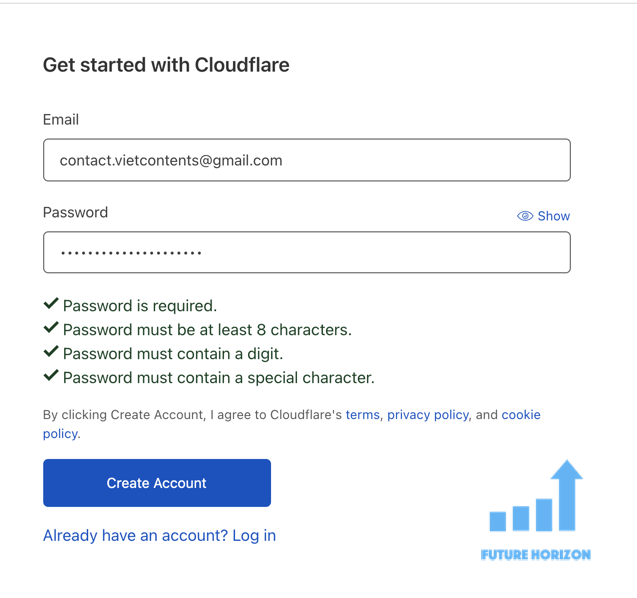
On the registration page, enter your Email (will be used to log in to your Cloudflare account later)
- Email: email will be used to log in to your Cloudflare account as well as to receive notifications about the application
- Password: enter the password to log in later (Note to store the password carefully, because at this step you only enter the password once. If you accidentally enter it incorrectly, or forget it, you need to Recover your password via registered E-mail.
- Create Account: Click to confirm creating a new account
2. LOGIN TO CLOUDFLARE
After successfully registering an account, log in with the email and password you just registered. If you're logging in for the first time and have never added a website before, you'll see a screen like this:
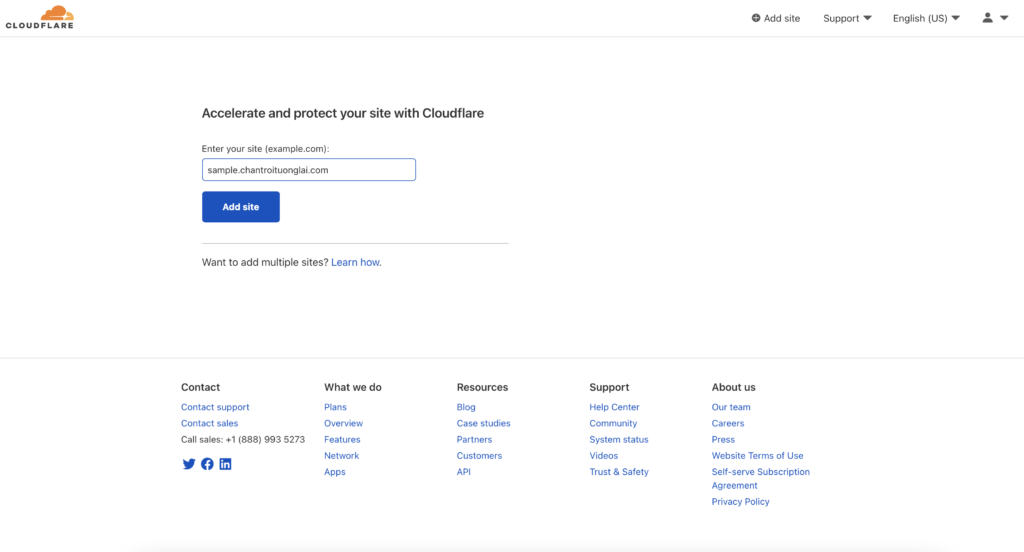
You enter your website name in the field: Enter your site (example.com)
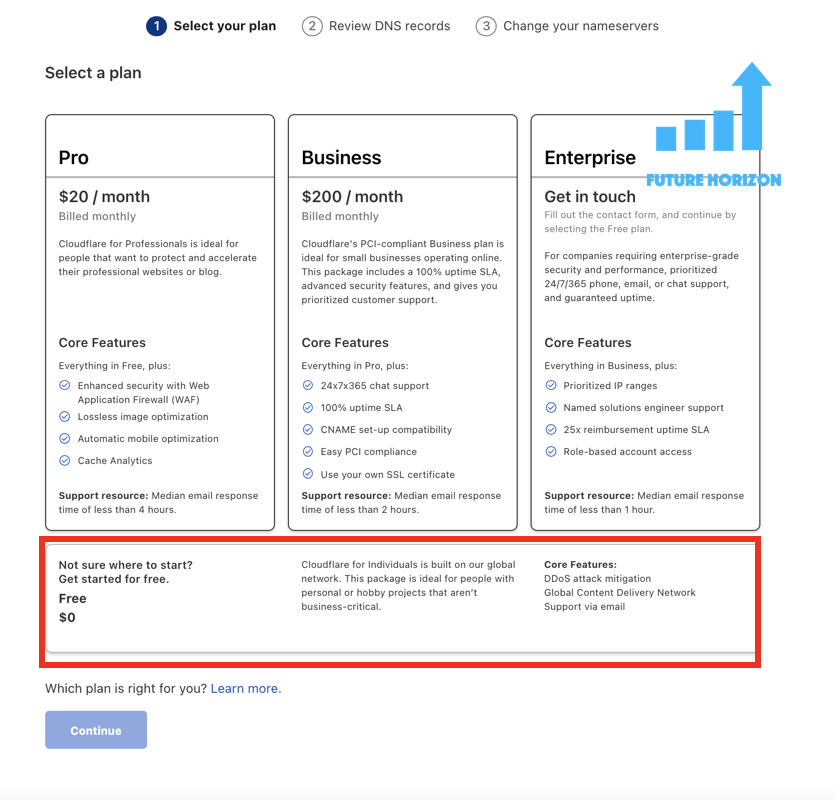
Cloudflare will suggest paid service plans, but you select “Free” as shown in the picture and press the button “Continue” to continue. This package is free and enough for us to use comfortably. Paid packages will have many more interesting functions. Large businesses that want more options or more security can use it.
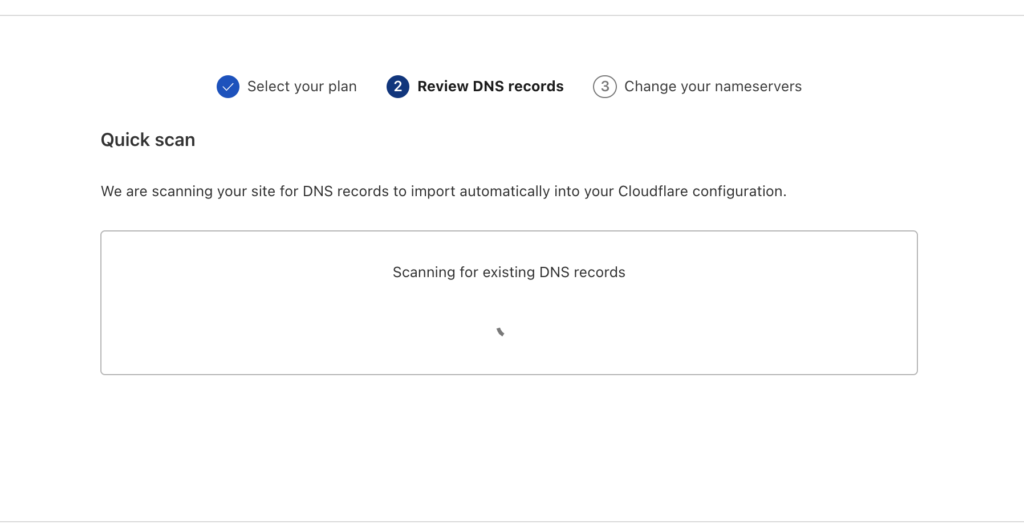
You wait for Cloudflare to scan your domain information:
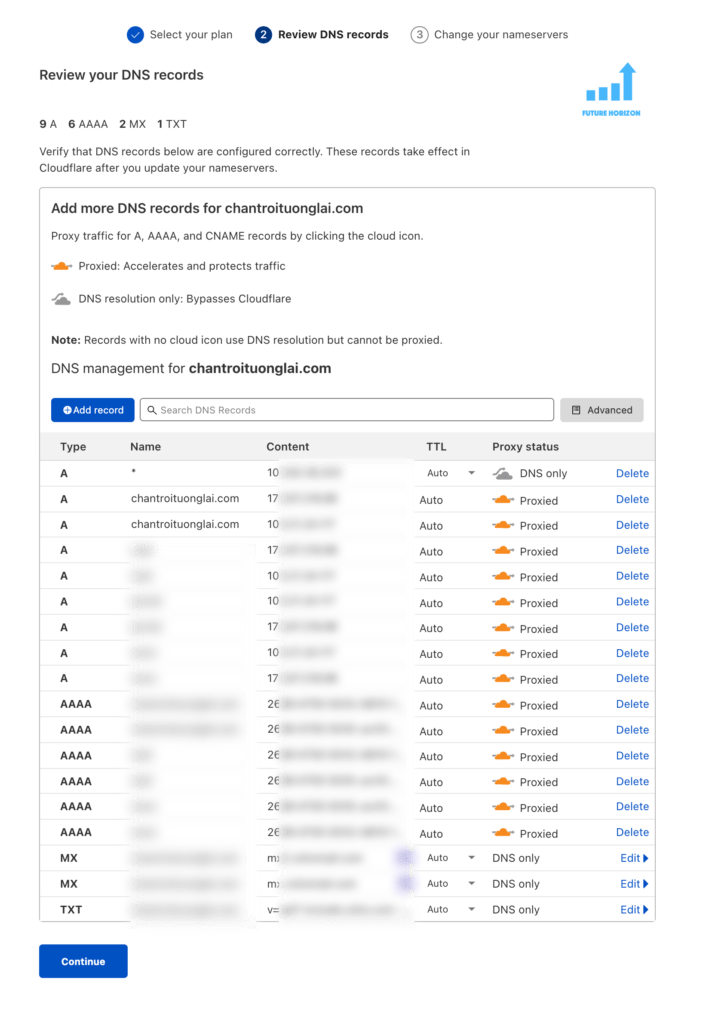
From the new Cloudflare version, before configuring Nameservers, Cloudflare will display your domain's DNS configuration:
Next Cloudflare will provide you with 2 new Nameservers as shown. Mine are adaline.ns.cloudflare.com and keenan.ns.cloudflare.com. There are many other Nameservers that you can use such as eva, matt, john, sue,…
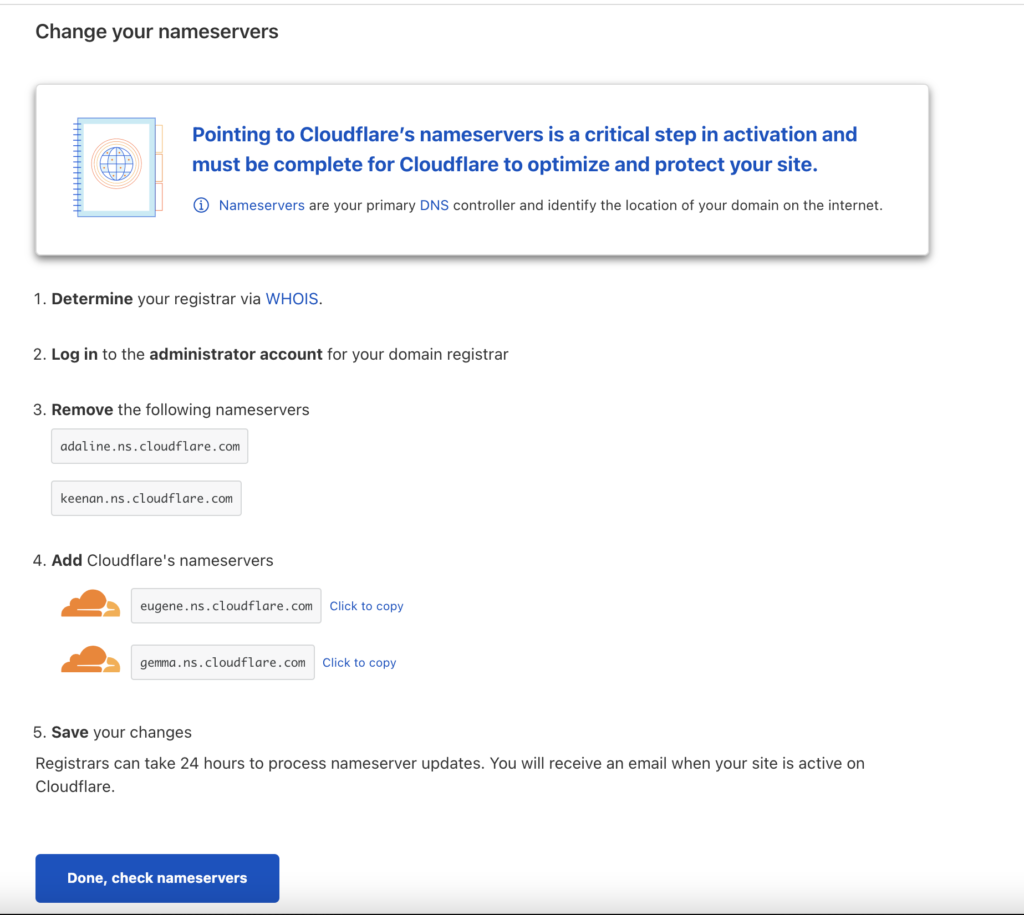
The 2 Nameservers that Cloudflare provides for its site are adaline.ns.cloudflare.com and keenan.ns.cloudflare.com
What you need to do next is log in to your domain management page. Then, change the domain's old Nameservers to the 2 new ones that Cloudflare provided above.
After configuring the Nameserver, press Done, check nameservers that's it.
Hope this article will help you in doing online business from your website. If you have any questions or problems, please leave a comment below, the FHC team will respond as soon as possible.
Wish you success!
See more: What is Hosting? How to choose Hosting to both optimize costs and ensure the operation of online systems for businesses?
wp:embed {“url”:”https://www.chantroituonglai.com/hosting-la-gi-cach-chon-hosting.html”,”type”:”wp-embed”,”providerNameSlug”:”chan-heaven-future”}
Tags:
hosting

Author
Future Horizon
Mục tiêu thành lập và xây dựng với sứ mệnh mang lại những công cụ và giải pháp kỹ thuật số (công cụ bán hàng online) tốt nhất cho các cửa hàng, doanh nghiệp nhỏ, hay đơn giản là những người mong muốn đạt được thành tựu trên không gian mạng nhưng cần sự giúp đỡ.