
MỤC LỤC BÀI VIẾT
When talking about SEO techniques in WordPress, we cannot talk about a very popular free plugin to help you easily optimize SEO components on your website called Yoast SEO (formerly known as WordPress SEO by Yoast).

However, you should know that this is just a plugin that helps you easily tweak information to optimize SEO, not that installing it will make your website rank well.
What is Yoast SEO?
Yoast SEO To be one of plugin WordPress The most important and popular today to help optimize work SEO for website. Built and developed by Team Yoast from 2010 to present, SEO by Yoast almost To be one plugin The most basic, present in almost all websites wordpress currently.
Is a WordPress plugin that supports and optimizes SEO for websites:
- Optimize keywords for keywords and related words and synonyms.
- Optimize OnPage SEO on each subpage.
- Share on social networks like google, facebook…
- Check information of sitemap, robots.txt file, .htaccess, permalink.
- Avoid duplicate content by configuring standard URLs.
See more articles: What is Hosting?
Instructions for installing Yoast SEO plugin
Install Yoast SEO like normal plugins in the section install plugins
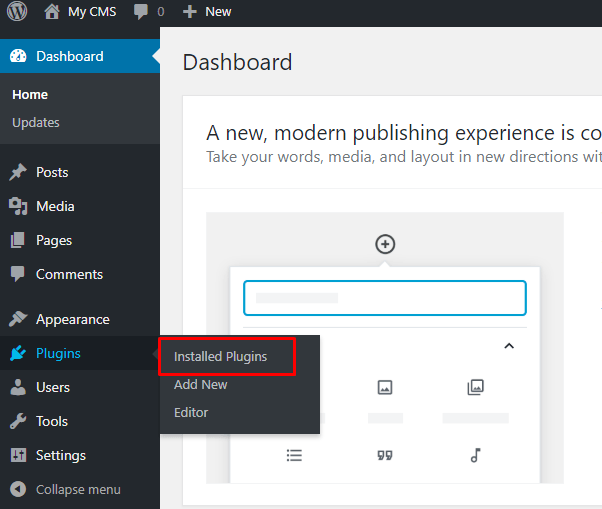
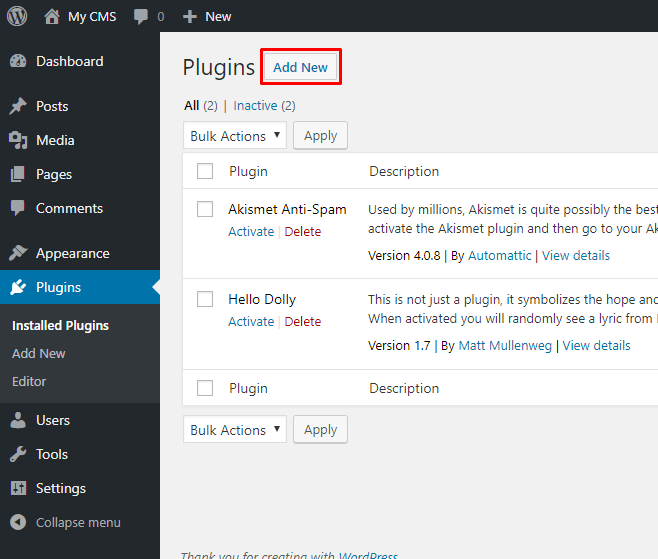
Next choose Add new
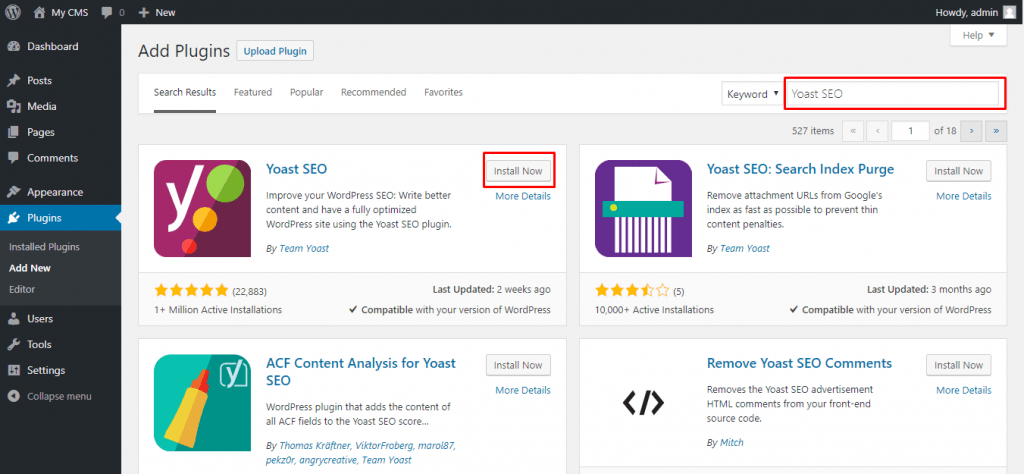
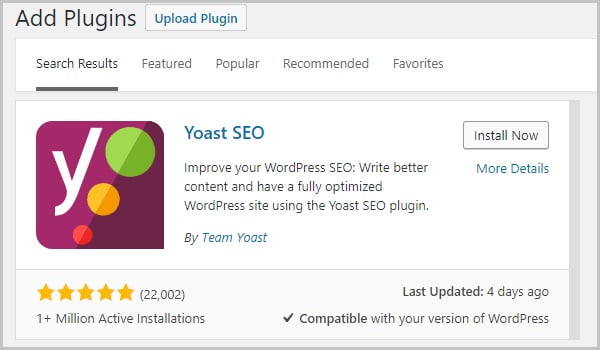
Find plugins yoast SEO and choose Install Now Then we Active plugin
This is what it looks like Yoast SEO after successful installation.
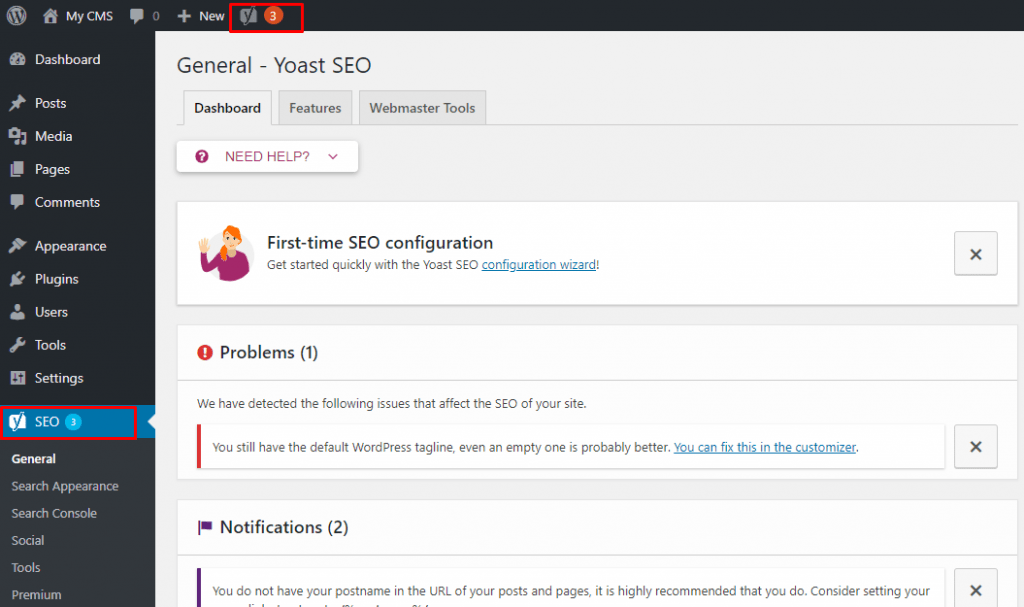
Instructions for configuring Yoast SEO
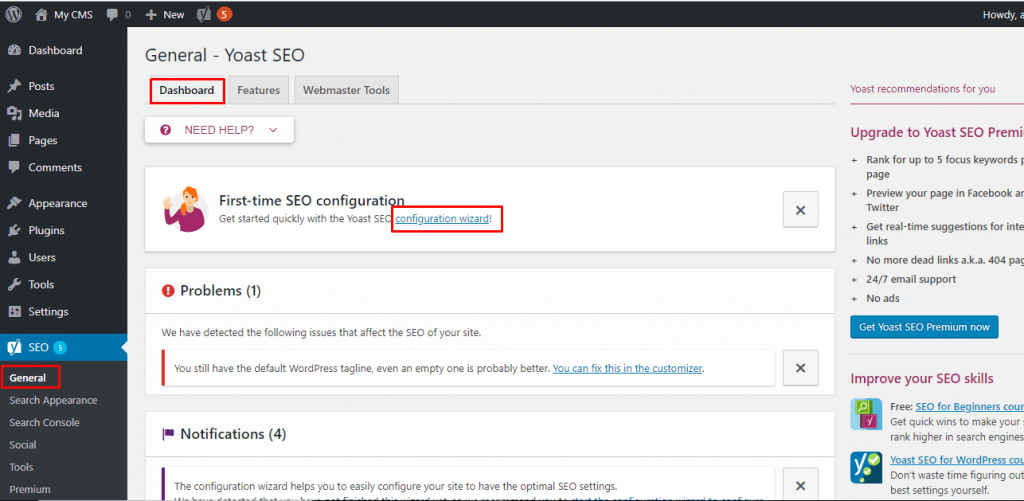
Here I choose configuration configuration wizard to configure step by step
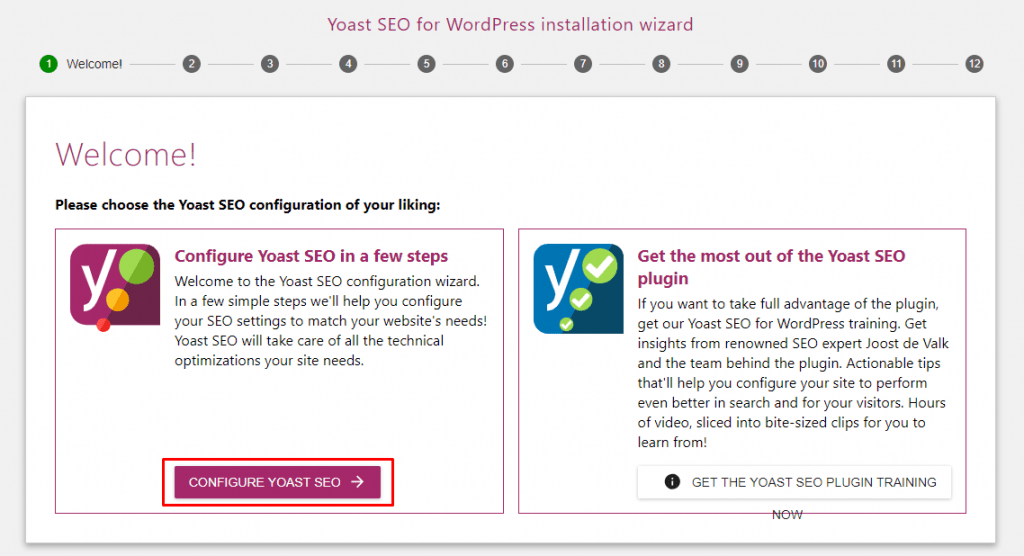
Step 1: Start configuration!
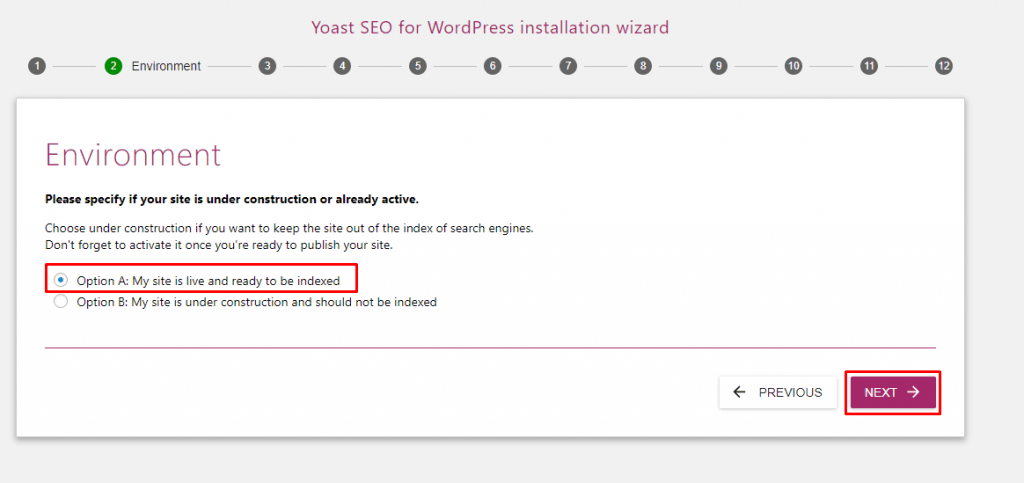
Step 2:
- Option A: My site is live and ready to be indexed
- Option B: My site is under construction and not indexed
Step 4: Fill in information Company (Company) or Personal (Person) here
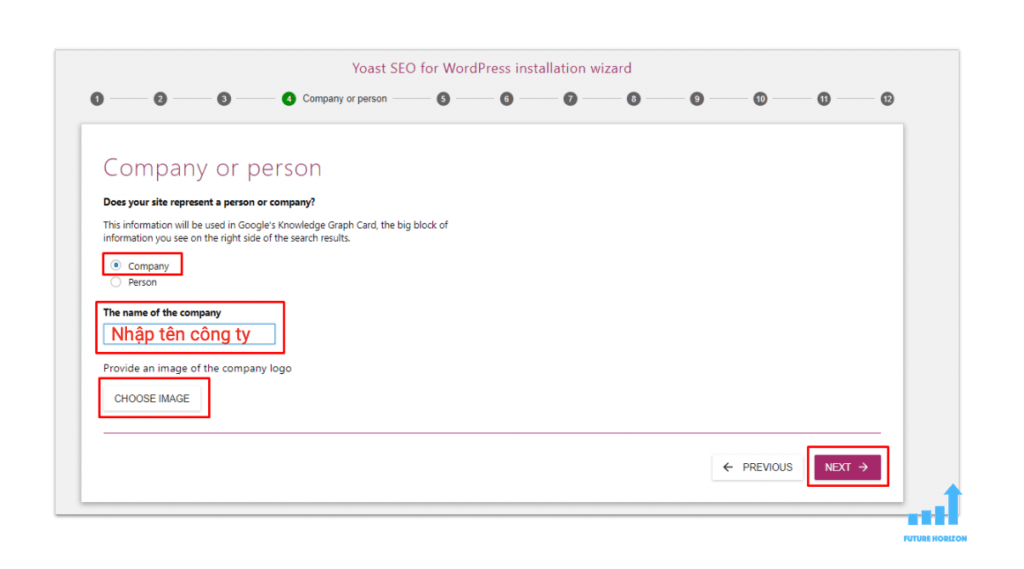
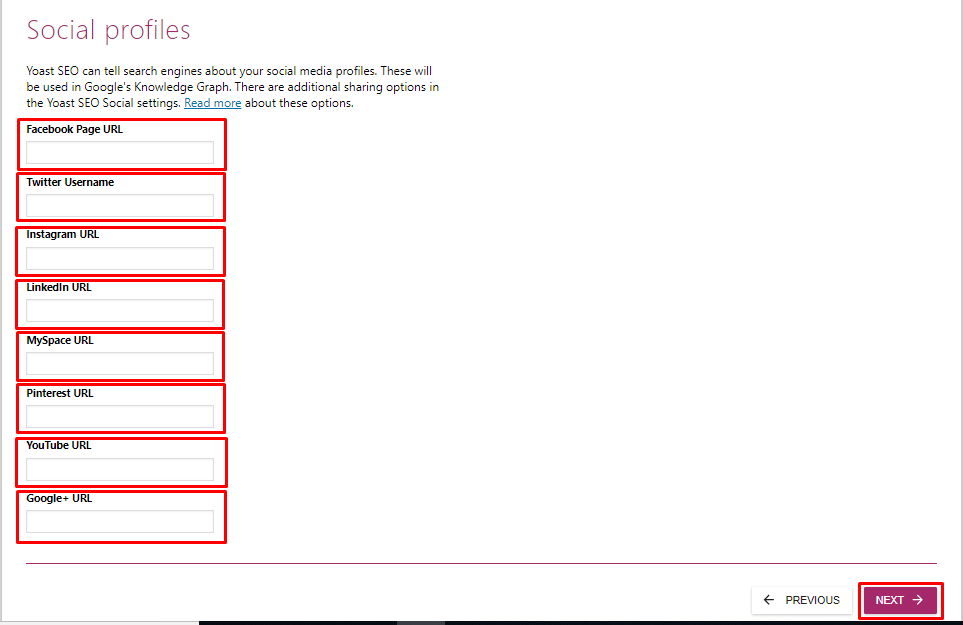
Step 5: Configure the Social network come in Yoast SEO by entering the link in the corresponding boxes.
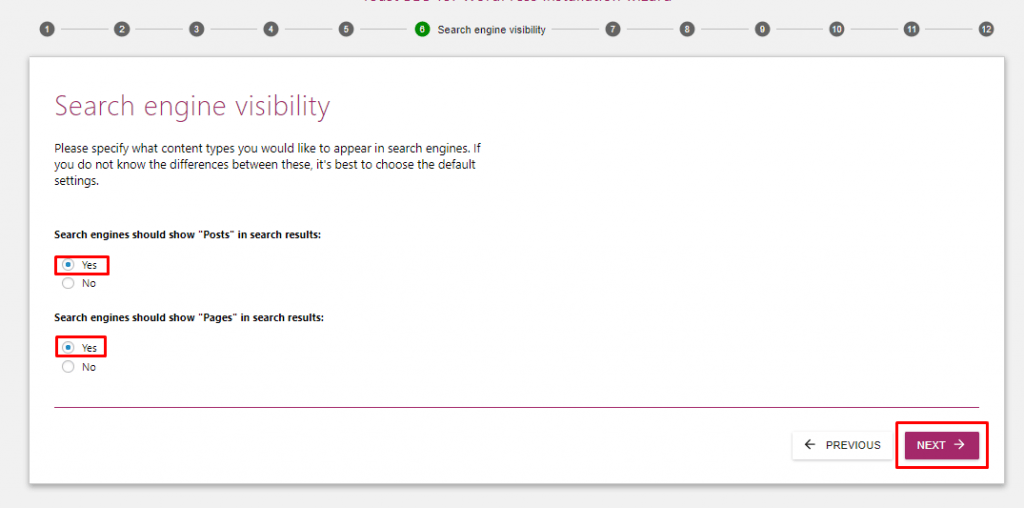
Step 6: Configuration in search Posts (Article) and Pages (Trang).
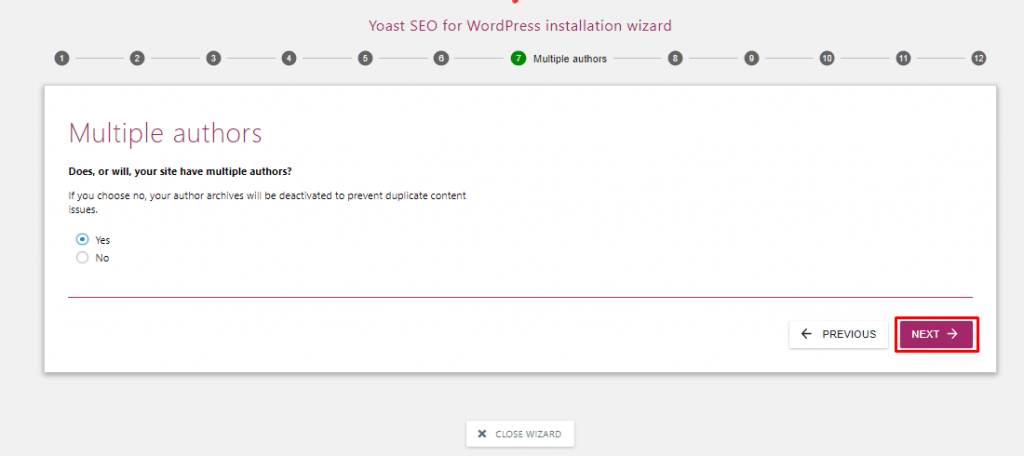
Step 7: Website configuration with multiple authors.
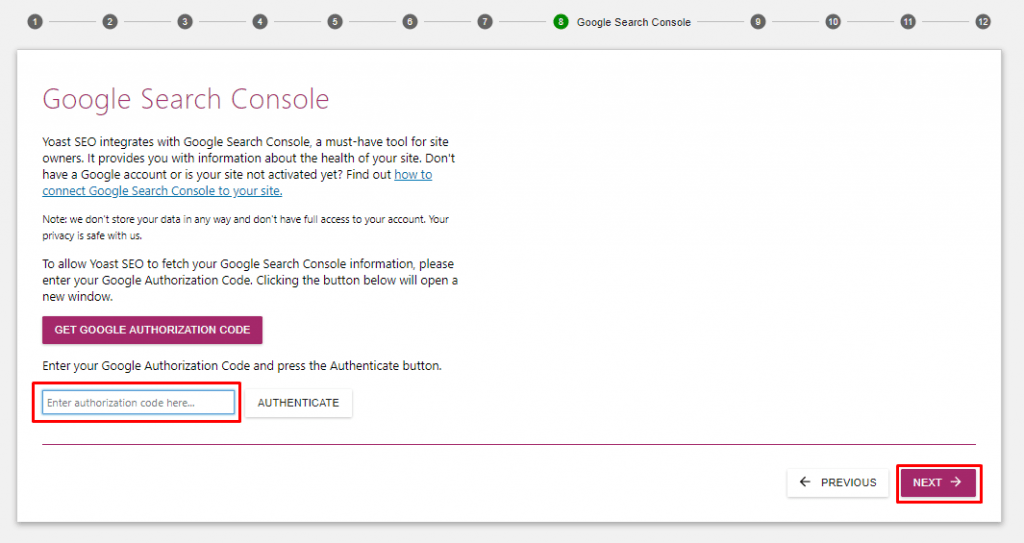
Step 8: Configuration Google Search Console (according to link instructions here)
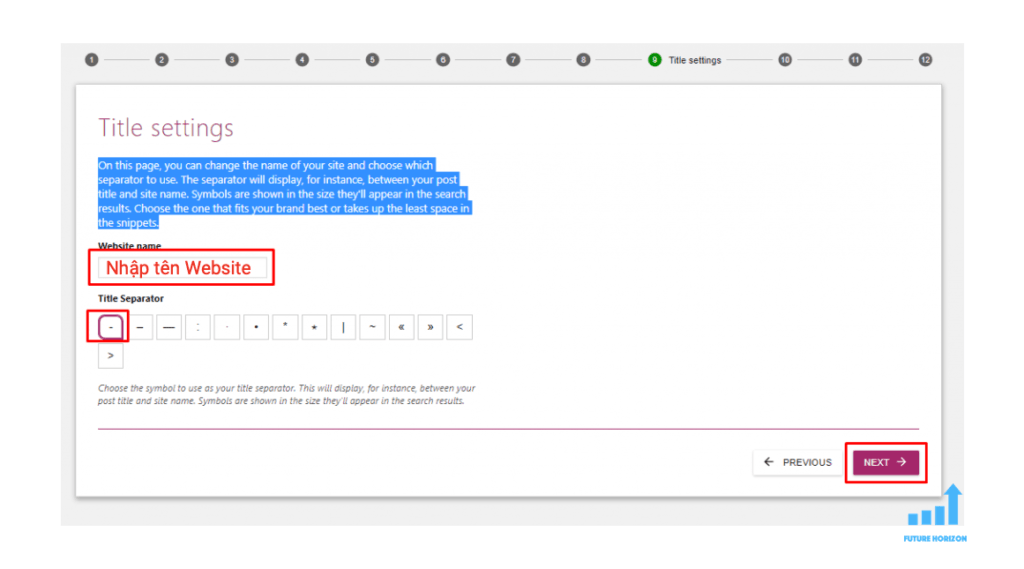
Step 9: Change website name and separator
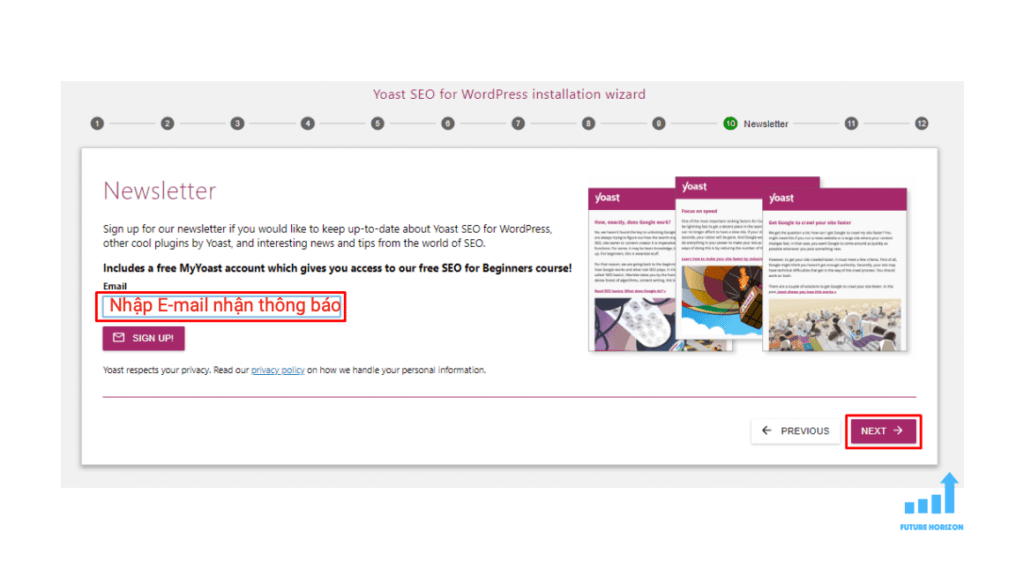
Step 10: Configure email to receive notification emails.
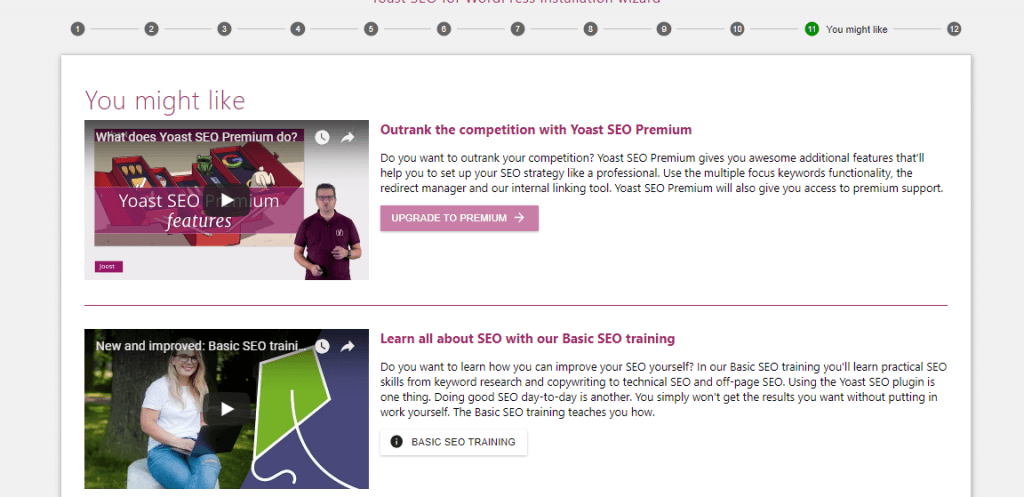
Step 11: Watch basic video instructions.
Step 12: Complete the configurations.
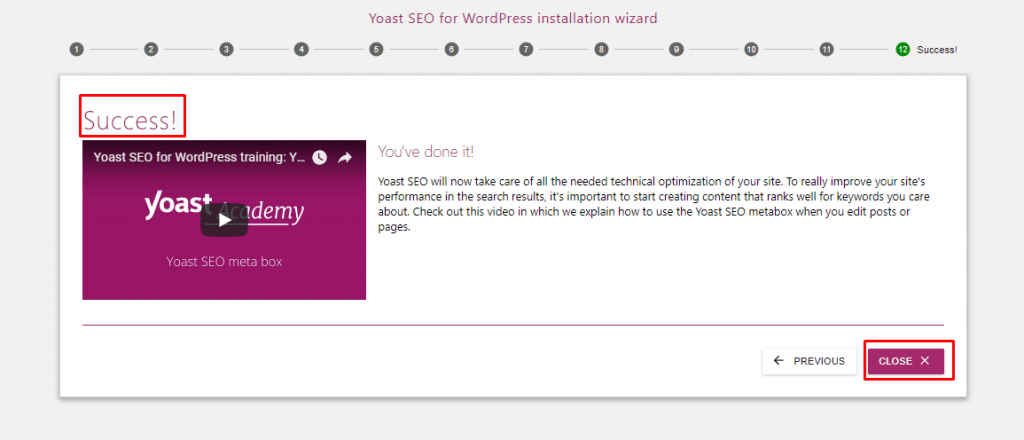
How to use Yoast SEO
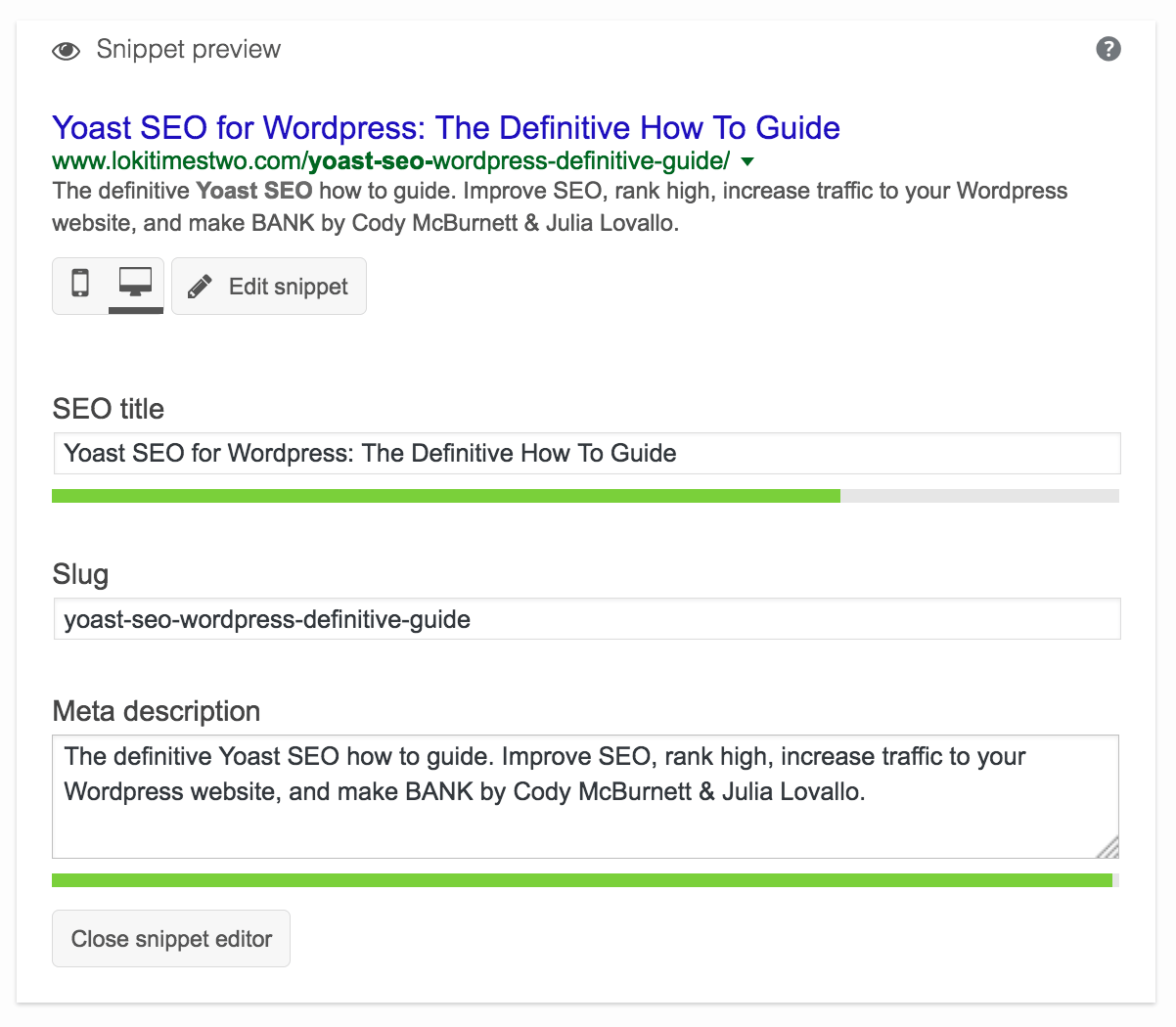
When we add a post Posts (Article) and Pages (Trang), Production (Product).
Edit: You just need to adjust the color bar below the title, description, etc. to turn blue. In addition, you should also pay attention to the meaning of the sentence!
Suggested messages that need to be optimized will appear Posts (Article) and Pages (Trang), Production (Product)
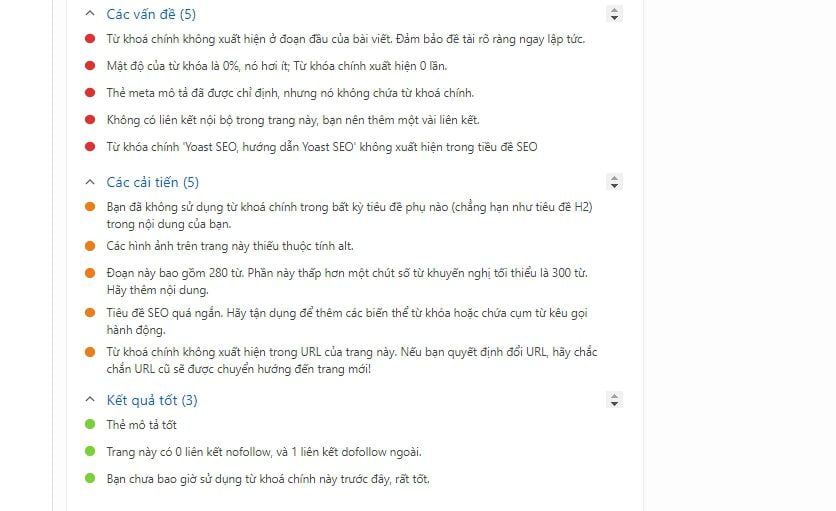
and the analysis below to appropriately adjust the policies of search engines (google, bing, yahoo,…)
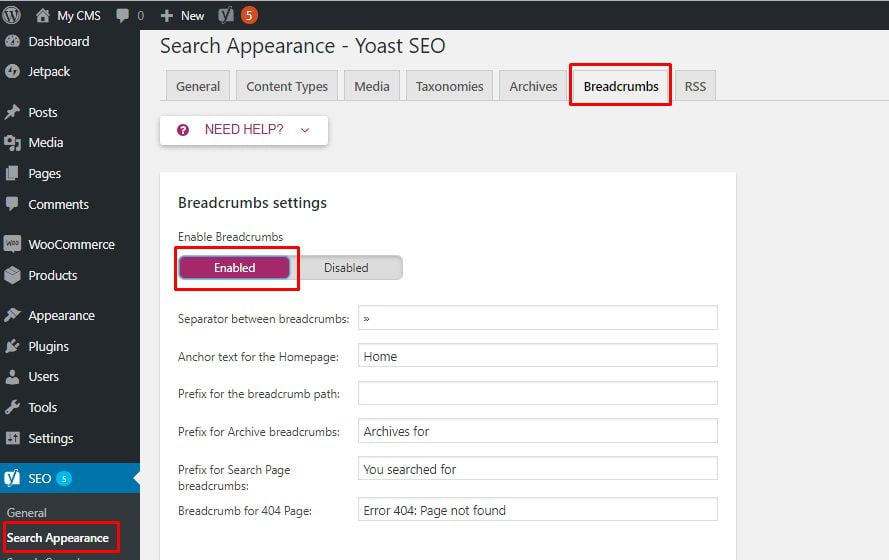
Instructions for opening Breadcrumbs on Yoast SEO
Instructions for removing categories from URLs
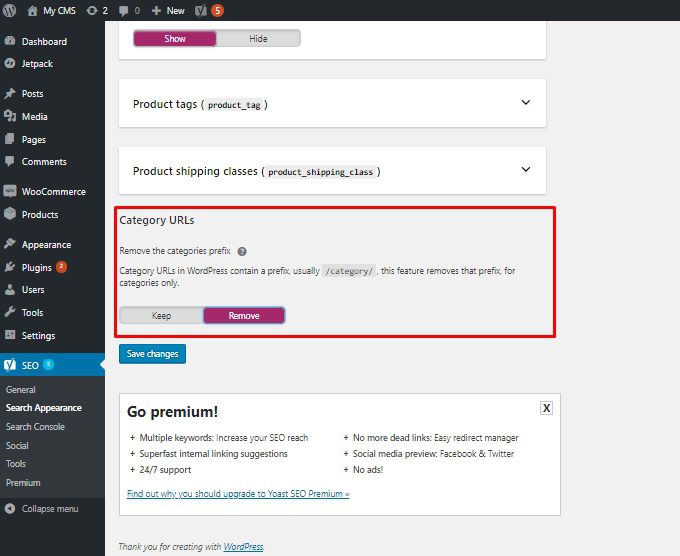
Upgraded features of Yoast SEO Premium
If upgraded Premium version of Yoast SEO, you will get some premium features that the regular version does not have:
- Redirects Manager
- Internal Linking Suggestions
- Content Insights
- Add Related Keyphrase
- Social Preview
Redirects Manager
This is a feature that I consider extremely useful and important for the SEO process. With this feature, you can redirect old Links to new Links without problems error 404. More specifically, it will not affect the article's rankings on search engines.
Although there are many Plugins that support this, if integrated into one Plugin it will be more convenient.
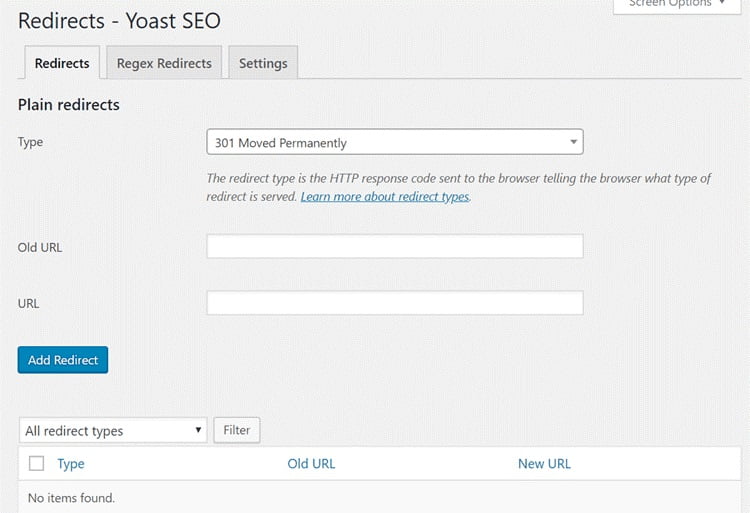
To set up redirection, click on SEO, select next Redirects to see the interface below.
Here, you choose the redirect type, then fill in the new URL and old URL and select Add Redirect. Not only that, Yoast SEO Premium Also automatically redirects if you edit the URL. This feature is very useful if you accidentally forget to redirect some new links.
Internal Linking Suggestions
This feature is only available in the Premium version, it will provide some related article suggestions. From there, you can easily link to related articles on your website.
You can drag and drop suggested links to quickly create internal links. This suggestion is located below the Featured Image section, it will automatically suggest when you access the article.
However, it will not support Vietnamese so sometimes it will not appear. Therefore, I think this feature will be more useful for websites with English content.
Content Insights
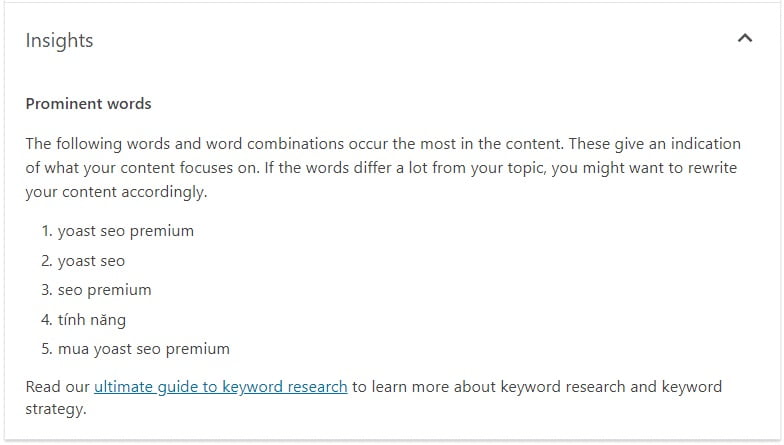
This is a pretty good feature and will save you time counting every word of the article. Plugins Yoast SEO Premium will help you list the 5 most used phrases in the article.
Thanks to that, you can adjust your focus keyword density more easily and better. If you see phrases unrelated to your keywords appearing too often, adjust them.
This feature also does not support Vietnamese, so it will not display if you use the system language as Vietnamese.
Add Related Keyphrase
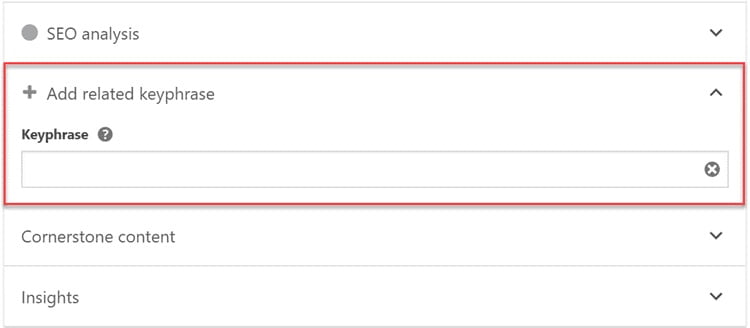
Previously, this feature was called Multi Keyword and is now changed to Related Keyphrase.
Google algorithm has changed, you need to choose many phrases related to the main keyword. This feature will display a corresponding field for you to fill in with keywords.
Social Preview
This feature of Yoast SEO Premium helps you preview images displayed when you share to Facebook and Twitter. Thanks to that, you can edit Facebook Description, Facebook Title and display images easily.
If you don't want to waste time editing, you can keep it as it is. Social Preview will automatically get the Title and Description according to Yoast SEO configuration to display on Facebook and Twitter.
How to upgrade from Yoast SEO Free to Premium
If you want to use this Premium version, please refer to my instructions on how to upgrade from the Free version as follows.
In case you have not installed Yoast SEO Free
If you have not installed Yoast SEO or related Plugins, installation is quite simple. Similar to other Plugins, you just need to search Install Yoast SEO Premium version as usual.
In case you have installed and configured Yoast SEO Free
If you are using the free version, just follow these 3 steps:
- Step 1: Deactivate the free Plugin version.
- Step 2: Install and activate Plugin Yoast SEO Premium.
- Step 3: Finally, you delete the free Plugin and you're done.
When deleting the free version, all features of the old version are retained and updated. Therefore, you can feel completely secure when upgrading to the Premium version.
Note: If you see a message that you haven't activated your subscription, that's okay. If you have the Key, it will update automatically or you can do it manually and you're done.
Should I use the free shared versions of Yoast SEO Premium?
With a selling price of $89/site, this is absolutely not a high cost for large websites. However, it is a number that will cause some difficulties for websites and small businesses. In fact, it is not difficult to own a Yoast SEO Premium Plugin installation file when it is widely shared on the Internet or on forums and fanpages specializing in SEO. However, should these versions be used or not?
There are many potential risks when you install the Yoast SEO Premium version shared for free online, as this is one of the leading causes of problems related to security and malicious code on the Website.
Therefore, to ensure the best security, consider the cost of purchasing Yoast SEO Premium from the home page or use the Free version instead of installing the free shared Premium version.

Author
Future Horizon
Mục tiêu thành lập và xây dựng với sứ mệnh mang lại những công cụ và giải pháp kỹ thuật số (công cụ bán hàng online) tốt nhất cho các cửa hàng, doanh nghiệp nhỏ, hay đơn giản là những người mong muốn đạt được thành tựu trên không gian mạng nhưng cần sự giúp đỡ.